LEFT JOIN
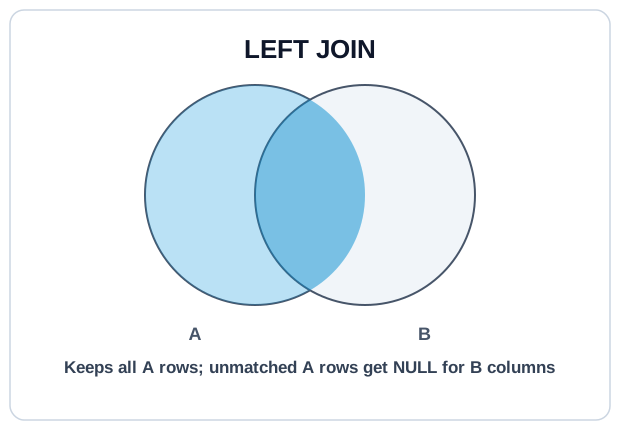
LEFT JOIN keeps every row from the left table, even when no match exists on the right.
Unmatched right-side columns come back as NULL. This is the join you use when the left table defines the grain you want in the output.
Syntax #
SELECT
  u.id,
  u.email,
  o.id AS order_id,
  o.total
FROM users AS u
LEFT JOIN orders AS o
  ON o.user_id = u.id;
Every users row appears at least once. Users with orders appear once per order; users with no orders appear once with NULL for every o.* column.
The Filter-In-WHERE Trap #
A filter on a right-side column in WHERE quietly converts LEFT JOIN into INNER JOIN.WHERE o.status = 'paid' eliminates rows where o.status is NULL, which is exactly the unmatched users you wanted to keep. To filter the right side without losing left-only rows, put the condition in ON:
-- Keeps users with no paid orders (o.* will be NULL for them)
SELECT u.id, u.email, o.id AS order_id
FROM users AS u
LEFT JOIN orders AS o
  ON o.user_id = u.id
  AND o.status = 'paid';

-- Silently drops those users
SELECT u.id, u.email, o.id AS order_id
FROM users AS u
LEFT JOIN orders AS o
  ON o.user_id = u.id
WHERE o.status = 'paid';
Finding Missing Rows #
The "anti-join" pattern: find left-table rows with no match on the right by filtering for NULL on a guaranteed-not-null right-side column.
-- Users who have never placed an order
SELECT u.id, u.email
FROM users AS u
LEFT JOIN orders AS o
  ON o.user_id = u.id
WHERE o.id IS NULL;
Try It #
Count paid orders per user, including users with zero paid orders.
Practice #
Return every user along with their total paid revenue (sum of orders.total where status is 'paid', 0 for users with no paid orders). Output columns: user_id, email, paid_revenue (rounded to 2). No ordering requirement.
Mistakes to Watch For #
- Filtering the right table in
WHEREand wondering why unmatched rows disappeared. The fix is to move the filter intoON. - Using
COUNT()instead ofCOUNT(right_table.col)— the unmatched row is still a row, soCOUNT()is 1, not 0. - Forgetting to
COALESCEaggregates:SUMover zero rows returnsNULL, not0. - Confusing the driving table: "LEFT" means the table before the
LEFT JOINkeyword is preserved.
Knowledge check #
4 questions
A
LEFT JOINkeeps every row from the left table. What appears in the right-side columns when there is no match?SELECT * FROM users LEFT JOIN orders ON orders.user_id = users.id WHERE orders.status = 'paid'. What happens to users with no paid orders?What is the minimum row count of
users LEFT JOIN orders ON ...?After
users u LEFT JOIN orders o ON ..., how do you find users who have no orders?
Next Step #
Continue to RIGHT JOIN: the mirror image of LEFT JOIN, rarely used in practice.