INNER JOIN
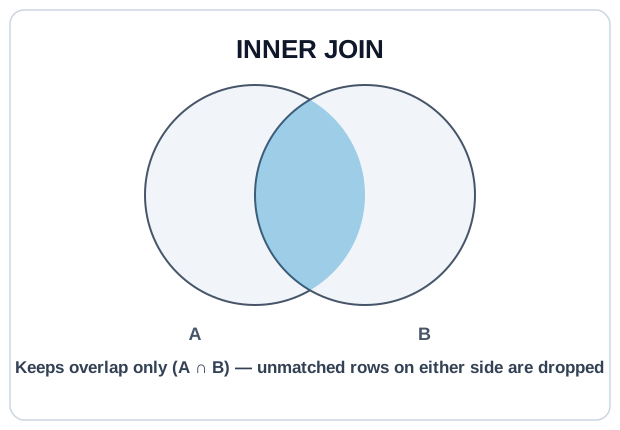
INNER JOIN keeps rows where the join key matches in both tables.
If a row has no partner on the other side, it is dropped, from both sides. This is the join you reach for when you want confirmed relationships.
Syntax #
SELECT
  o.id,
  u.email,
  o.total
FROM orders AS o
INNER JOIN users AS u
  ON o.user_id = u.id;
Each orders row is matched against users by user_id = id. Rows that match produce a combined row; rows that don't match disappear.
The Fan-Out Trap #
If the join key is not unique on one side, INNER JOIN multiplies rows.
Joining users (1 row per user) to orders (many rows per user) gives one output row per order, not one per user. If you then SUM(users.something), you sum each user once per order, a classic fan-out bug. The fix is to aggregate the many-side before joining (or join to a pre-aggregated subquery). Note: COUNT(DISTINCT ...) is fine for counting distinct users, but SUM(DISTINCT ...) is not a fan-out fix. It silently drops legitimately-equal values (two users with the same bonus would count once).
ON vs WHERE #
For INNER JOIN, predicates in ON and WHERE produce the same result; both run before anything survives. The distinction matters more for LEFT JOIN (next lesson), but for readability, put join conditions in ON and row filters in WHERE.
Try It #
Aggregate paid revenue per user by joining orders to users.
Practice #
Return one row per paid order with order_id, email, product_name, and total. Join orders to both users and products. No ordering requirement.
Mistakes to Watch For #
- Fan-out: joining to a many-side and then aggregating as if rows were unique.
- Forgetting that
INNER JOINsilently drops unmatched rows. If a row you expected is gone, check the keys. - Writing
ON o.user_id = u.id AND o.status = 'paid'for an INNER JOIN thinking it changes behavior; for INNER it's identical to puttingstatusinWHERE. - Relying on column order from
SELECT *when joining. Always list the columns you want.
Knowledge check #
4 questions
What does
INNER JOINreturn when a row in the left table has no matching row in the right table?usershas 100 rows.ordershas 500 rows, with each user having 0 to 10 orders. How many rows doesSELECT * FROM users INNER JOIN orders ON orders.user_id = users.idreturn?For
INNER JOIN, where doON o.status = 'paid'andWHERE o.status = 'paid'differ in result?You join
users(1 row per user) toorders(many per user) andSELECT SUM(users.signup_bonus). The total looks too high. What is the bug?
Next Step #
Continue to LEFT JOIN: the join that keeps unmatched rows from the driving table.