Joins Intro
This subsection gives you a practical foundation before detailed join syntax.
Goal: understand what joins do, which join to pick, and how to debug wrong outputs quickly.
What Joins Solve #
Most business questions need data from more than one table:
- Who bought what? (orders + products)
- Which customers have no orders? (customers + orders)
- Which orders have no matching customer record? (data quality checks)
Without joins, analysis stays fragmented. With joins, you can build complete business views.
Mental Model #
Think in three steps:
- Define the row grain you want in output (one row per order? user? month?)
- Choose base table that naturally matches that grain
- Add joins carefully and validate row counts after each join
Grain is the part beginners skip, and it is where most join bugs start. If you know you want one row per order, a result with 5,000 rows for 500 orders tells you immediately that a join multiplied rows.
Join Types At A Glance #
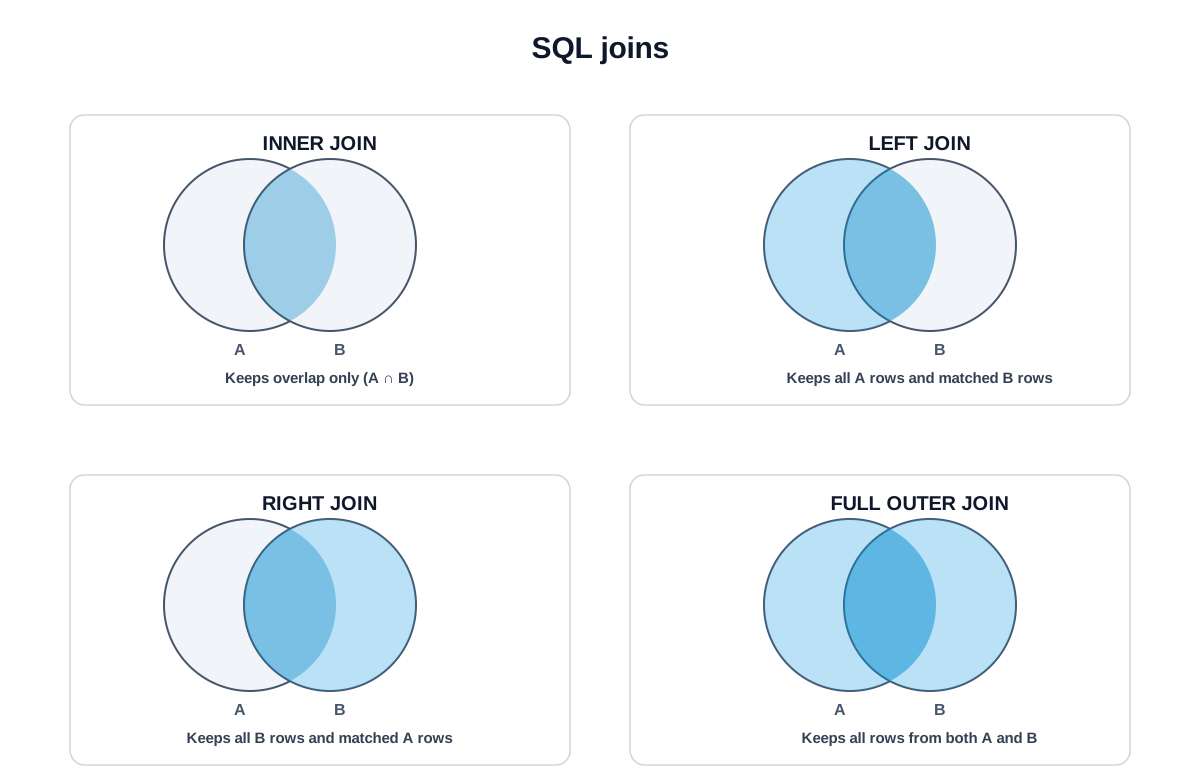
| Join type | Keeps |
|---|---|
| INNER JOIN | Only matching rows from both sides |
| LEFT JOIN | All rows from left table + matching rows from right |
| RIGHT JOIN | All rows from right table + matching rows from left |
| FULL OUTER JOIN | All rows from both tables |
| CROSS JOIN | Every left row with every right row |
| SELF JOIN | A table joined to itself |
Most analytics queries are INNER JOIN or LEFT JOIN. Master those first, then move to specialized join types.
Run One Join Now #
Don't wait for the theory. Run one join now and watch two tables become one result. Each row pairs an order with the user who placed it. Every join variant gets its own lesson next; this is just to make the idea concrete.
Knowledge check #
5 questions
A SQL
JOINlets you:For typical analytics work, which two join types cover ~90% of queries?
The
ONclause in a join specifies:When you join
users(1 row per user) toorders(many per user), the result has:A row count higher than expected after a join usually means:
Next Step #
Continue to INNER JOIN.